authentication
Hardware Security Keys Tested 2026: YubiKey vs Google Titan vs SoloKeys
We used four hardware keys daily for six weeks across critical accounts. Form factors, NFC reliability, FIDO2 support, and picks by use case.
- Use source-backed steps before changing security settings.
- Prioritize MFA, updates, backups, segmentation, and phishing-resistant habits.
- Save only the guides you need; no account is required.
Hardware security keys provide the strongest practical authentication available to consumers. They are immune to phishing, immune to malware, and survive scenarios where your phone or laptop is compromised. The tradeoff is friction — a physical device must travel with you, and you must remember to use it for high-security accounts. We tested four hardware keys across six weeks of daily use on email, password manager, financial accounts, and developer platforms. The right hardware key depends on the ports your devices use, whether you need NFC for mobile, and how much resilience you want against physical damage.
What Hardware Keys Actually Protect Against
Three attack categories defeat password and authenticator-app authentication that hardware keys block entirely. First, phishing attacks that fool the user into entering credentials on a fake site — the hardware key refuses to authenticate to a domain different from where it was registered, regardless of how convincing the phishing site looks. Second, malware on the user’s device that intercepts authentication codes — the hardware key requires physical touch confirmation and does not expose secrets to the host computer. Third, real-time SIM swap attacks that intercept SMS codes — hardware keys do not use SMS and are immune to telephone-network attacks.
These attack categories represent the substantial majority of credential-based account compromises according to CISA, Verizon DBIR, and Google’s Advanced Protection Program data. The Google APP, which requires hardware keys for all enrolled users, has never had a confirmed phishing-based account compromise since launch — a stark contrast to non-APP Google accounts where hundreds of thousands of phishing successes occur annually.
Top Pick — Best All-Round Hardware Key

YubiKey 5C NFC
Price · $50-60
+ Pros
- · USB-C + NFC for laptop and mobile compatibility
- · FIDO2, U2F, PIV smart card, OATH-HOTP/TOTP, OpenPGP, SSH support
- · Water-resistant and physically robust
- · Works with all major OS and 95+ percent of FIDO2-supporting services
− Cons
- · Premium price vs basic alternatives
- · USB-C only — separate USB-A model needed for older laptops
Price, availability, and ratings can change; verify details on the retailer page before buying.
YubiKey 5C NFC is the right primary hardware key for most users with modern devices. The USB-C connector works with current Macs (2016+), most Windows laptops since 2018, and Android phones via USB-C. The NFC tap-to-authenticate works with iPhones and most Android phones, eliminating the need for adapter dongles. Yubico’s track record includes the 2018 Google study showing zero phishing successes among employees required to use YubiKey, which remains the most rigorous real-world test of any consumer authenticator.
The multi-protocol support is the structural feature that separates YubiKey from cheaper alternatives. Beyond FIDO2 and U2F for web authentication, YubiKey 5 series stores PIV smart card credentials, OATH OTP secrets, OpenPGP keys, and SSH keys. For technical users this consolidates multiple authentication needs into one device. For typical users only the FIDO2 and U2F functionality matters, but having the additional capabilities available without buying another device is useful as authentication needs evolve. The 50 to 60 dollar price is premium but justified by feature breadth and known durability.
Budget Pick — Solid FIDO2 At Lower Cost

Google Titan Security Key (USB-C/NFC)
Price · $30-35
+ Pros
- · Lower price than YubiKey for equivalent FIDO2 functionality
- · Google's hardware testing and supply chain validation
- · USB-C with NFC for mobile compatibility
- · Single-purpose firmware reduces attack surface
− Cons
- · FIDO2/U2F only — no PIV, OpenPGP, or SSH support
- · Less polished documentation and developer ecosystem
Price, availability, and ratings can change; verify details on the retailer page before buying.
Google Titan is the right choice for users who only need FIDO2 and U2F web authentication and want to spend less than YubiKey costs. At 30 to 35 dollars per key, two Titan keys cost less than one YubiKey 5C NFC. The functionality for typical use cases (Google account, financial accounts, password manager, social media accounts) is identical to YubiKey because all use the same FIDO2 and U2F protocols.
The Google brand provides a different value proposition than Yubico. Google’s supply chain validation and Pixel-tier hardware testing apply to Titan production. The firmware is single-purpose (FIDO authentication only), which slightly reduces the attack surface compared to YubiKey’s multi-protocol firmware. The honest tradeoff is the limited feature set — if you might use PIV smart card or PGP keys in the future, Titan cannot grow into those use cases. For pure web authentication needs, Titan delivers equivalent security at lower cost.
Compact Pick — Always-In-Port Convenience
YubiKey 5 Nano (USB-A or USB-C)
Price · $60-75
+ Pros
- · Designed to remain plugged into laptop without protrusion
- · Same FIDO2 and multi-protocol support as full-size YubiKey 5
- · Eliminates the 'where did I leave my key' moment
- · Touch sensor accessible from the visible portion
− Cons
- · Cannot be used on mobile — no NFC
- · Easier to forget in a borrowed laptop than to remove
Price, availability, and ratings can change; verify details on the retailer page before buying.
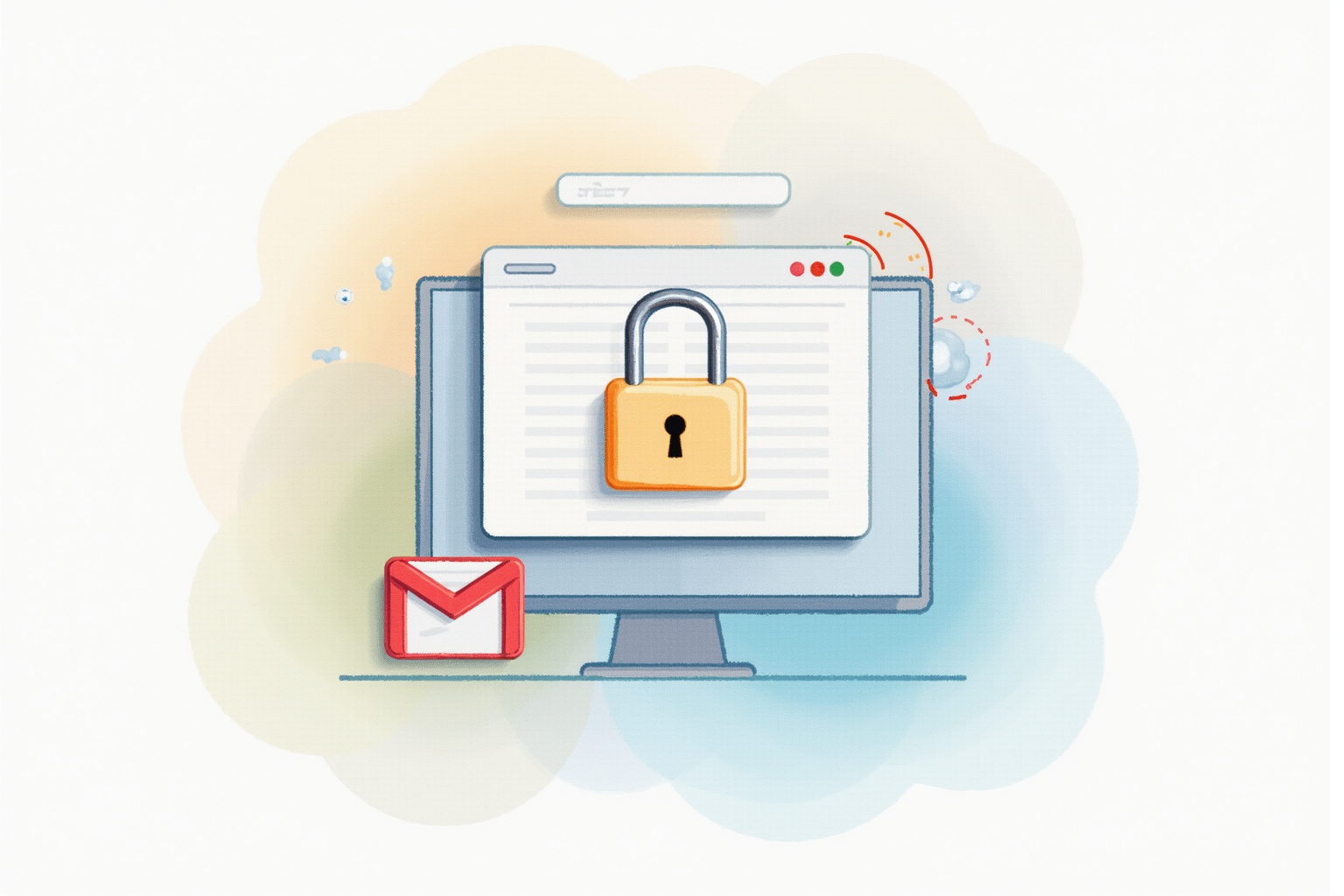
YubiKey 5 Nano is the right pick as a secondary always-plugged-in key for users who primarily authenticate from one laptop. The Nano sits flush with the USB port, leaving only the touch sensor accessible, and stays in place during normal laptop use. This eliminates the “where is my key” problem that occasionally afflicts users with conventional-format keys, and makes daily authentication faster because no plugging-in step is required.
The form factor has clear limits. The Nano works only on the device it is plugged into; it cannot be moved to a phone or different laptop without unplugging. For users who frequently switch devices (multiple laptops at work and home, regular mobile authentication), the standard-format YubiKey 5C NFC is more practical. The Nano is best as a secondary backup key for the primary laptop, paired with a portable key for mobile and travel.
What To Avoid
Three hardware key categories should not be your primary purchase. Counterfeit YubiKeys sold via Amazon third-party sellers (and occasionally other marketplaces) lack the genuine Yubico firmware and may have backdoors or weakened crypto. Buy direct from Yubico, Google Store, or major reputable retailers. FIDO U2F-only keys (older YubiKey Neo, original Google Titan) work for legacy 2FA but cannot do FIDO2 passwordless authentication; the price savings are not worth the missing capability. Cheap unbranded FIDO keys from Amazon Marketplace under 15 dollars usually pass basic FIDO certification but lack the engineering quality and supply-chain validation of major brands.
Setup Strategy
Buy two keys minimum at initial purchase. Register both to every account you secure. Keep one with you (keychain, wallet, bag) and store the other in a secure backup location (home safe, separate drawer, safety deposit box). This redundancy ensures that losing one key does not lock you out of accounts. For accounts with the option, also keep the password or authenticator app authentication enabled as tertiary backup during the first year of hardware key use, then disable once you trust the workflow.
For most users, dedicating an evening to registering both keys with all critical accounts is the right approach. Plan 3-5 minutes per account for the registration. Major identity accounts (Google, Apple, Microsoft, password manager) come first, then financial accounts, then everything else.
Bottom Line
YubiKey 5C NFC as the primary key for most users due to feature breadth and reliability. Google Titan as a lower-cost alternative for FIDO-only needs. YubiKey 5 Nano as a secondary always-plugged-in backup for primary-laptop authentication. The total spend of 80 to 120 dollars for two complementary keys provides the strongest practical authentication available and lasts 5+ years of daily use.
For more on authentication security see our passkey migration guide, 2FA methods comparison, and authentication category.